1 · Choose the package
Check the OS ABI: arm64-v8a needs ARM64; armeabi-v7a needs ARM32. A 64-bit chip may run a 32-bit OS. Install using the box browser or a trusted file-transfer method. Verify the source; keep system safety protections enabled.
For ARM TVs and boxes running Android 7.0+. Google services are not required.
Check the OS ABI: arm64-v8a needs ARM64; armeabi-v7a needs ARM32. A 64-bit chip may run a 32-bit OS. Install using the box browser or a trusted file-transfer method. Verify the source; keep system safety protections enabled.
Choose short-code sign-in on TV. Scan the QR code or open the official approval address shown on TV. Sign in to your own account, verify the code and device, then approve. No shared Wi-Fi or Google account is needed. Password sign-in is also available. Regenerate expired codes and never share them.
Choose mainland China, Hong Kong / Macau or Taiwan for the box network and refresh the subscription. Allow Android VPN access when first prompted. Use only one VPN at a time. Back exits the onboarding guide.
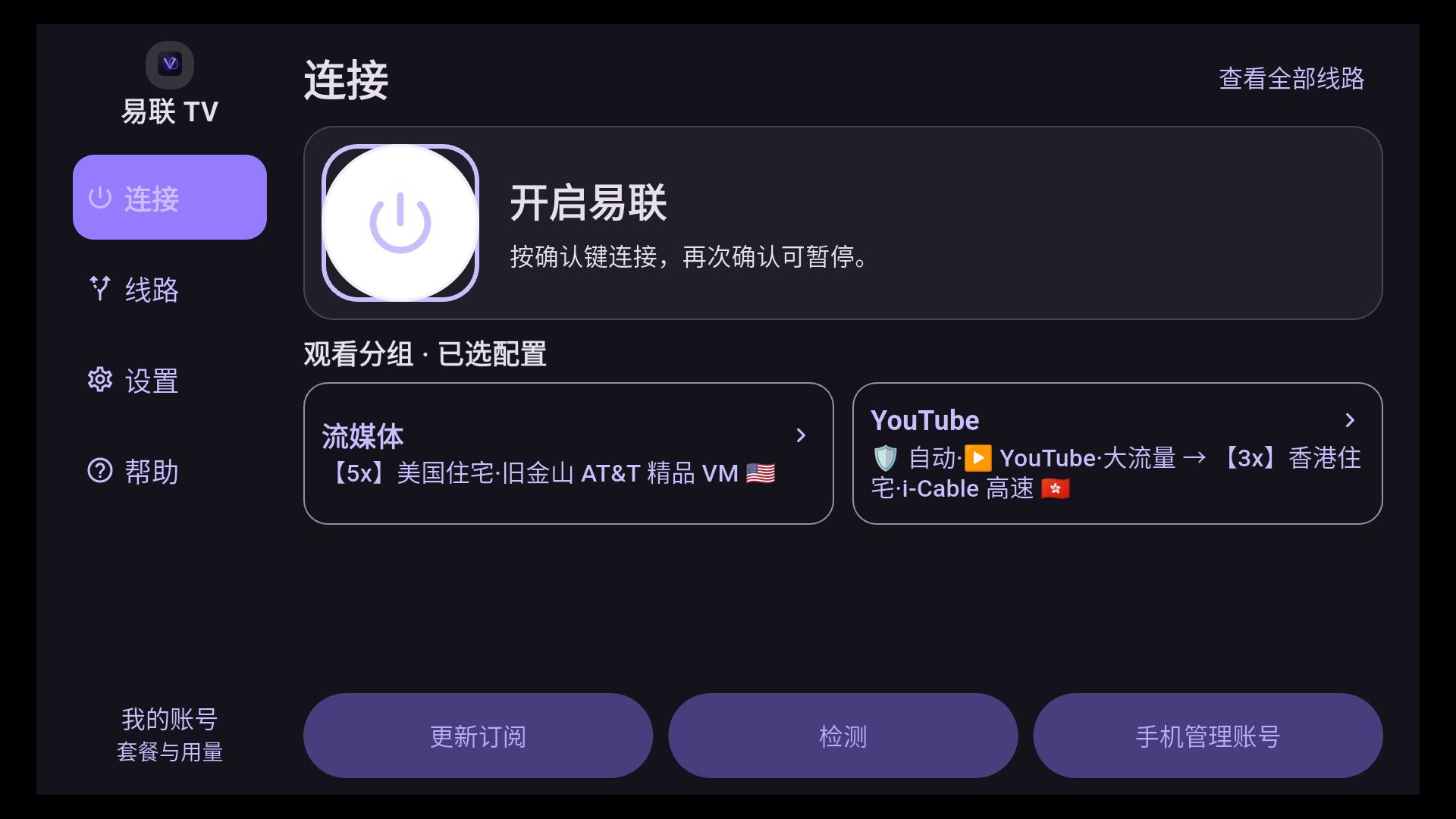
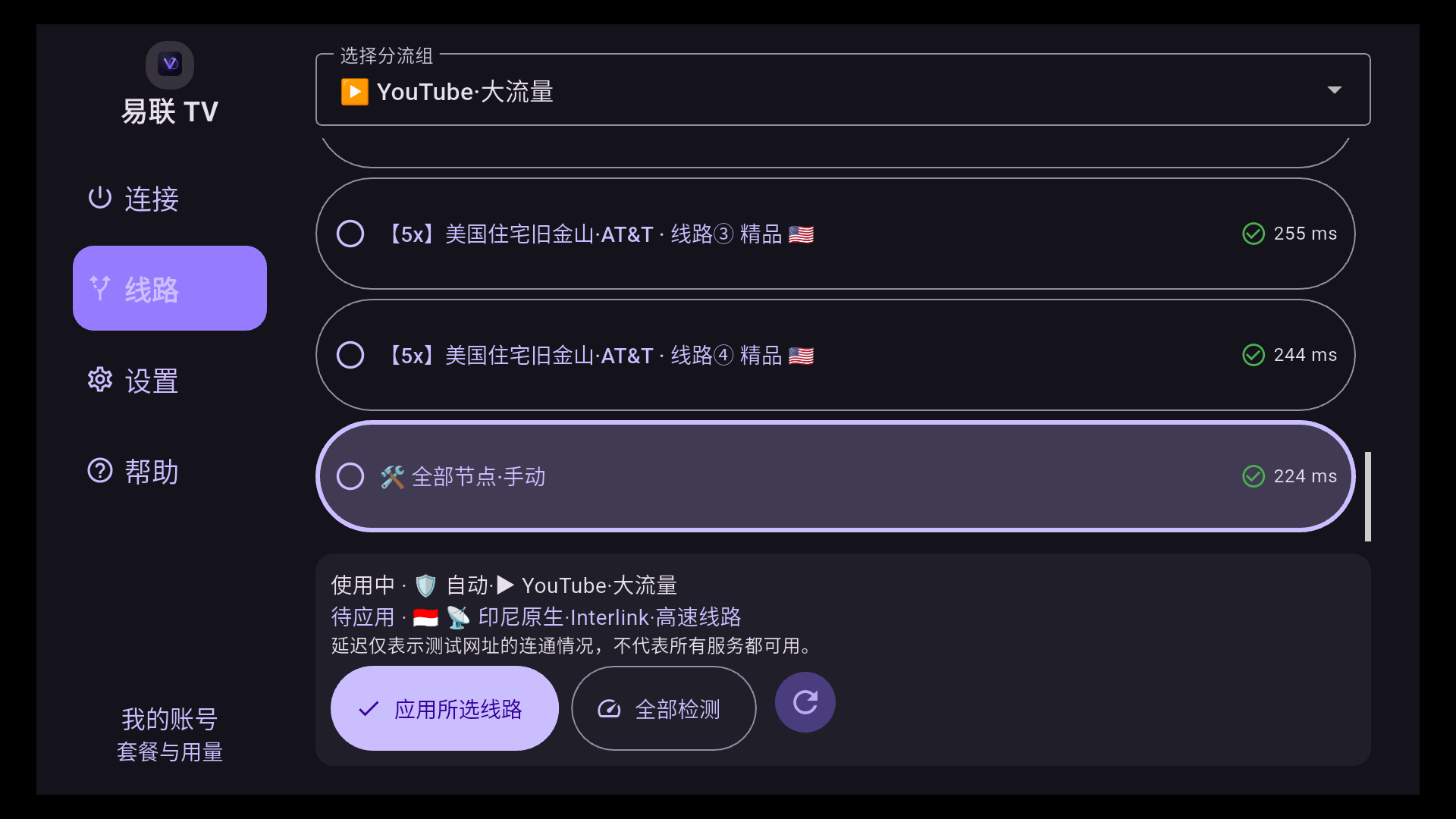
Use arrows to move focus and OK to select. Apply selected route is always available at the bottom; Check all tests the current group, not every website, and does not switch routes. A pending selection is different from an applied route. Back returns one level.
Streaming and YouTube follow their own rule groups. Other traffic is not a master switch for every site. After refreshing, check the actual list for added or removed nodes. Playback still depends on content, regional rights and network conditions.
Keep your account and configuration: do not uninstall or clear data first. Contact support with the box model, Android version, steps and a previewed, redacted diagnostic log. Other platforms retain older stable downloads; TV has no previous stable release.
Coverage: a physical ARM32 Chromecast and an ARM64 Android TV emulator. Repeated route navigation, Back and VPN states were verified; the user confirmed real YouTube picture and sound in the preceding playback test. This does not certify all brands, streaming unlocks or Android 16 / 16KB environments.